Conversation
Part of the conversation.
It runs inside the Unbound contact center. Agents don't need another product or login.
Co-browsing lets the agent see what the customer sees on your website, right inside the conversation they're already having.
The agent asks, the customer agrees, and they look at the same page while they talk. Nothing to download or install on either side, and the fields you mark private never reach the agent's screen.
100+ countries · Cloud, hybrid, or onsite · 1 to 1,000 seats
Some problems are faster to see than to describe.
A form that won't submit. A setting the customer can't find. When the agent can see the page, the fix happens once, not after ten minutes of “what do you see now?”
The session belongs to the task, so it sits on the customer's record with the chat, calls, and notes from the same issue.
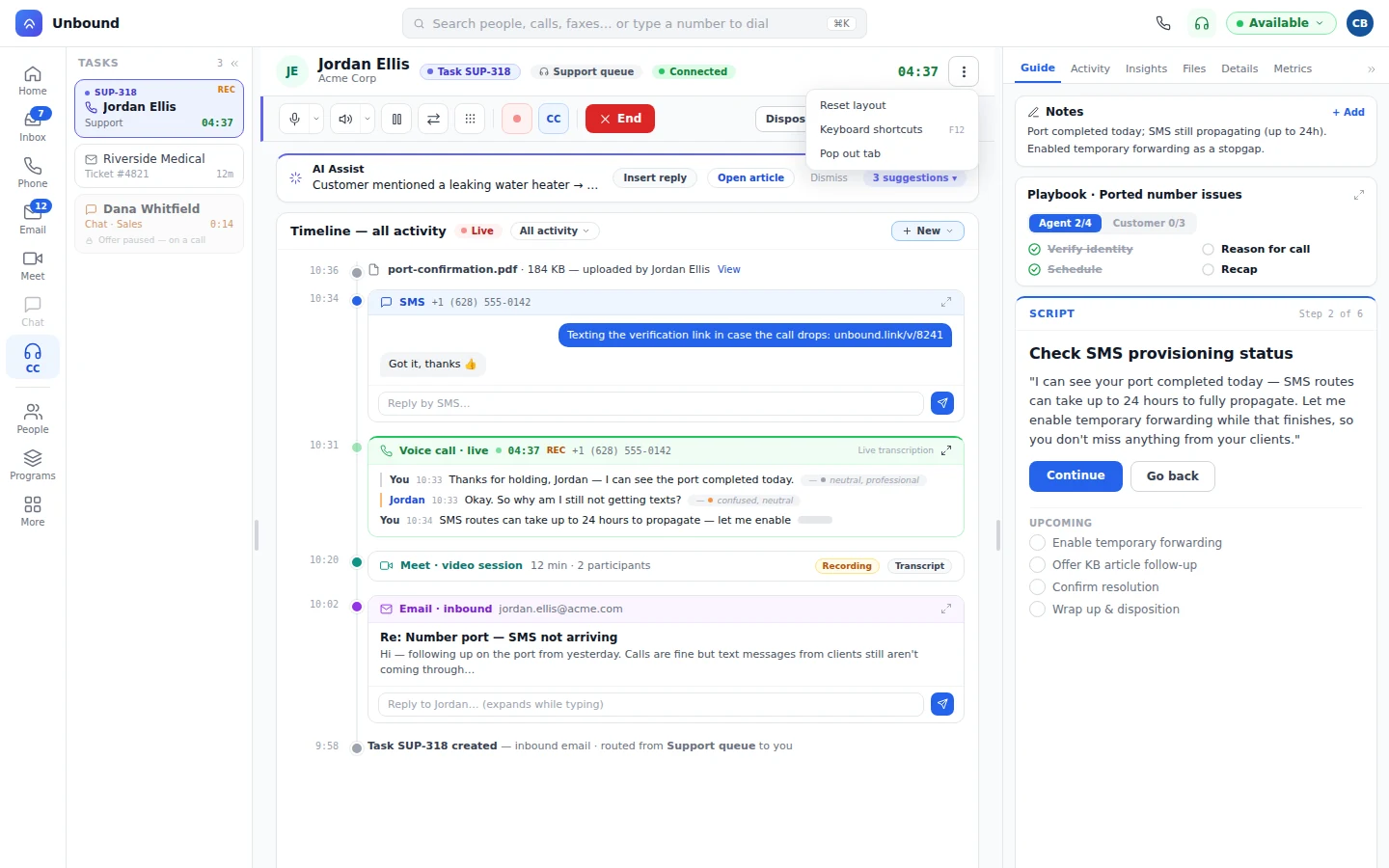
It's part of the conversation, not a separate product, and the customer stays in control the whole time.
It runs inside the Unbound contact center. Agents don't need another product or login.
It works natively in your website. The customer stays on the page they're on, with no download, plugin, or app on either end.
Nothing's visible until the customer says yes, and they can end it whenever they like. Mark card numbers, passwords, or whole sections of a page as private, and the agent never sees them.
A bot can take the web chat first, collect the account details, and hand the task to a person when seeing the page would settle it faster. That person starts co-browsing on the same task, with the chat already there. How bots work
During a live conversation, the agent can see the web page the customer is on. It's part of the Unbound contact center.
Yes. The agent sees nothing until the customer agrees, and the customer can end the session any time.
No. Agents start it from the contact center they already work in, on the task in front of them.
No. Co-browsing runs natively inside your website. The customer stays on the page, with nothing to install on either side.
Yes. You choose which input fields and sections of a page are private, such as card numbers and passwords, and those are blocked out before anything reaches the agent.
Its task is. That task sits on the customer's record with everything else from the same issue.
Start a 30-day trial with sample data loaded and work a chat task in the contact center co-browsing runs in. Then set it up on your own site.