Contact center
One router for every channel.
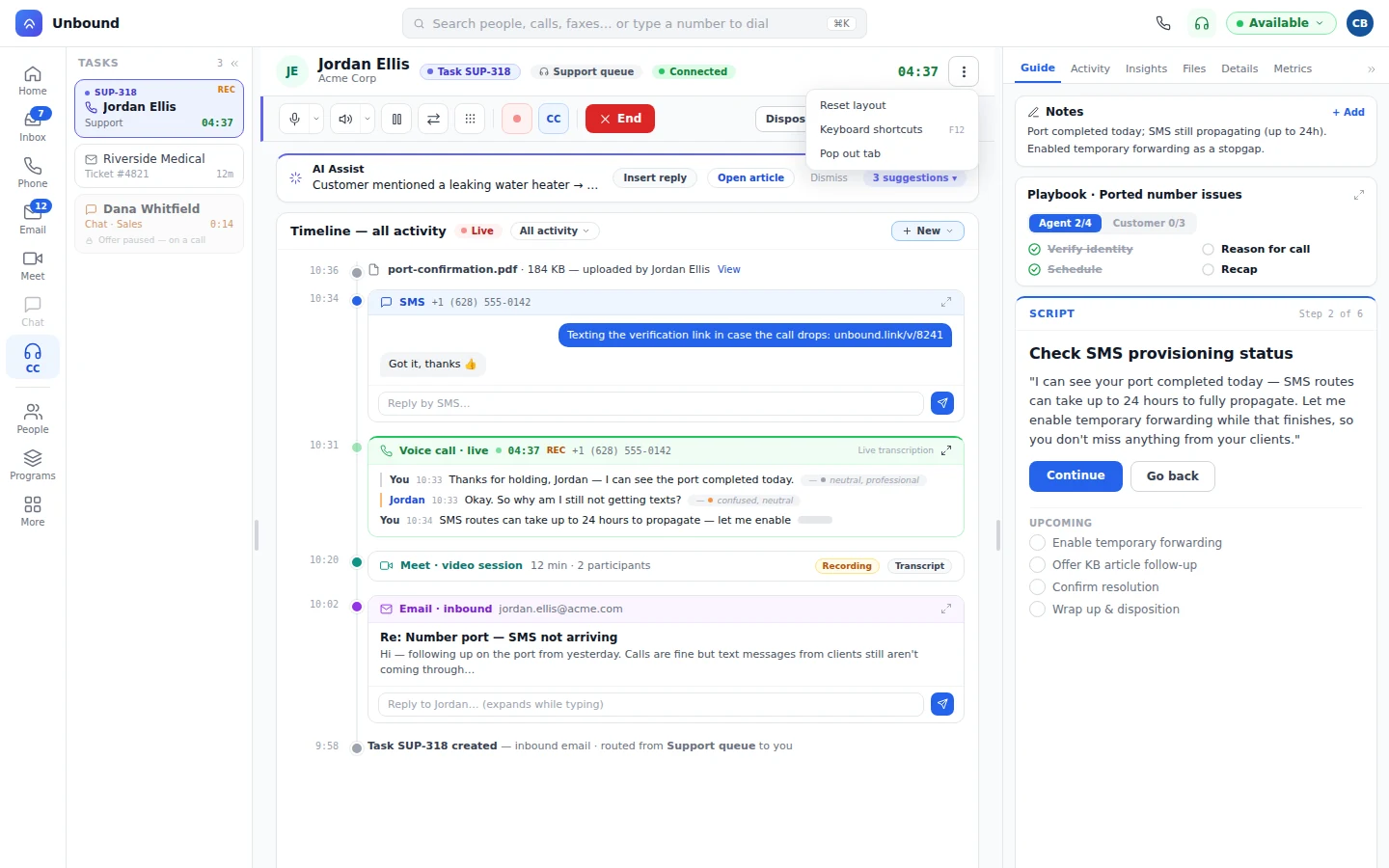
Voice, chat, SMS, email, and webchat through TaskRouter, with bots and people sharing queues and a wallboard.
Contact centerA contact center, a phone and chat system, a CRM, a customer data tool, and a marketing platform. That's five logins, five contracts, and five copies of every customer. Unbound does all five on one data model.
100+ countries · Cloud, hybrid, or onsite · 1 to 1,000 seats
A prospect fills in a form, calls, hits a snag, and signs. One customer, one day, run two ways.
The form lands in the marketing platform. Sales won't see it until the next export.
DroppedThe form creates a person, with the ad, the visit, and the device already linked.
CarriedThe prospect calls. The agent sees a phone number and no history, and asks them to start from the beginning.
DroppedA bot picks up from your team's queue, confirms the address, and books the visit while the record fills in.
CarriedThe agent needs help, so they paste a screenshot into a chat tool that's never heard of this customer.
DroppedThe agent raises a hand, and a teammate joins with the whole timeline already in front of them.
CarriedThe rep exports the deal to a signing tool, then attaches the signed PDF back by hand.
DroppedThe rep builds the proposal from the deal, and the customer signs and pays on it.
CarriedMarketing sends a promotion to someone with an open complaint, because the list never heard about the call.
DroppedThe journey checks the record and spots the open task before anything goes out.
CarriedVoice, chat, SMS, email, and webchat through TaskRouter, with bots and people sharing queues and a wallboard.
Contact centerEveryone on one presence, with chat channels pinned to the customer, deal, or ticket they're about.
TeamCustom objects for whatever you sell, with triggers that keep the paperwork moving. Proposals, binding e-signature, and payment built in.
CRMCalls, messages, meetings, form fills, and deals land on one person as they happen.
Customer dataForms, tracking, journeys, programs, and ad audiences run on one engine with the contact center. A cadence can hand a reply straight to a rep's sales work list.
MarketingThe call and the CRM record live in the same database, so there's nothing between them to break. Outside systems plug in through workflows, the API, and MCP.
Platform infrastructureWe won't guess your bill. Here's the worked example, line by line, with where to find each number. Add up the left and compare it with the right.
| Line | Your input | Where to find it |
|---|---|---|
| Contact center | Agent seats times the per-agent price | Your contact center invoice |
| Phone, chat, video | Every user seat times the per-user price, plus the video tool | Your phone system invoice |
| CRM and e-signature | CRM seats, plus the signing tool and any proposal or payment tool | Your CRM and signing invoices |
| Customer data | The tool that stitches the others into one view, if you run one | Its subscription |
| Marketing | Your marketing platform plan | Your marketing invoice |
| Add-ons | AI, QA, and recording add-ons across every tool above | The line items under each invoice |
| The glue | Connector subscriptions, plus hours per month keeping integrations alive times the loaded hourly cost | Ask whoever fixes the sync |
| Your stack | The sum of every line above, per month | |
| Unbound | Each person on the seat that matches the job: Core $35, Sell $95, or Support $150 per user per month, billed annually | Count each person once |
Count each person once. On the stack, a supervisor who works the queue, the phone, and the CRM pays for three seats. On Unbound they're one seat with everything in it.
Runs in your browser. Nothing is stored or sent. Leaves out the time your team spends retyping, re-asking, and re-explaining, because nobody invoices you for that.
Number porting moves your existing phone numbers onto Unbound.
Anything built against another vendor's API gets rebuilt on workflows, our API, or MCP. Your ops people handle the workflow steps, and developers take anything that needs code.
Start with the contact center, or just the phones. The rest is already in your account when you're ready for it.
All five, on one data model. Use as much of it as you need.
Because it depends on your invoices, and we haven't seen them. The worked example and the calculator run on your numbers, not ours.
Yes. Connect it through workflows, the API, or MCP, and move the rest over when you're ready.
AI for your team is included in every seat. Bot usage and calling, texting, and numbers are metered; see Pricing.
Open a 30-day account stocked with sample calls and records, place a real call, sign a real proposal, and run a real workflow. Then hold the numbers above up against your bill.