The full platform on every device your team carries.
Native apps for Mac, Windows, iPhone, and Android with every feature, not a thin companion, and SIP desk phones on the same system. Whether you're on the floor, at a desk, or in a truck, you're looking at the same customer.
100+ countries · Cloud, hybrid, or onsite · 1 to 1,000 seats
The contact center on an iPhone, with the queue and tasks from the desktop
Mac, Windows, iPad, iPhone, and Android. Every feature.
Take the queue from your phone, get the proposal signed on an iPad, and put the wallboard up on the wall.
One account on a Mac, an iPad, and an iPhone: home, dashboard, and the contact center queue
Contact center, office, and field work from one place.
Three very different days, one app.
- In the contact center.
Agents take voice, chat, SMS, and email tasks on a desktop, the softphone, or a desk phone, with the bots working alongside them.
- In the office.
One presence across phone, team chat, and Meet, and every conversation lands on the customer record.
- In the field.
Crews pull up the record, make the call, and get the signature on an iPhone or iPad without ringing the office.
Softphone on every device. SIP desk phones on the desk.
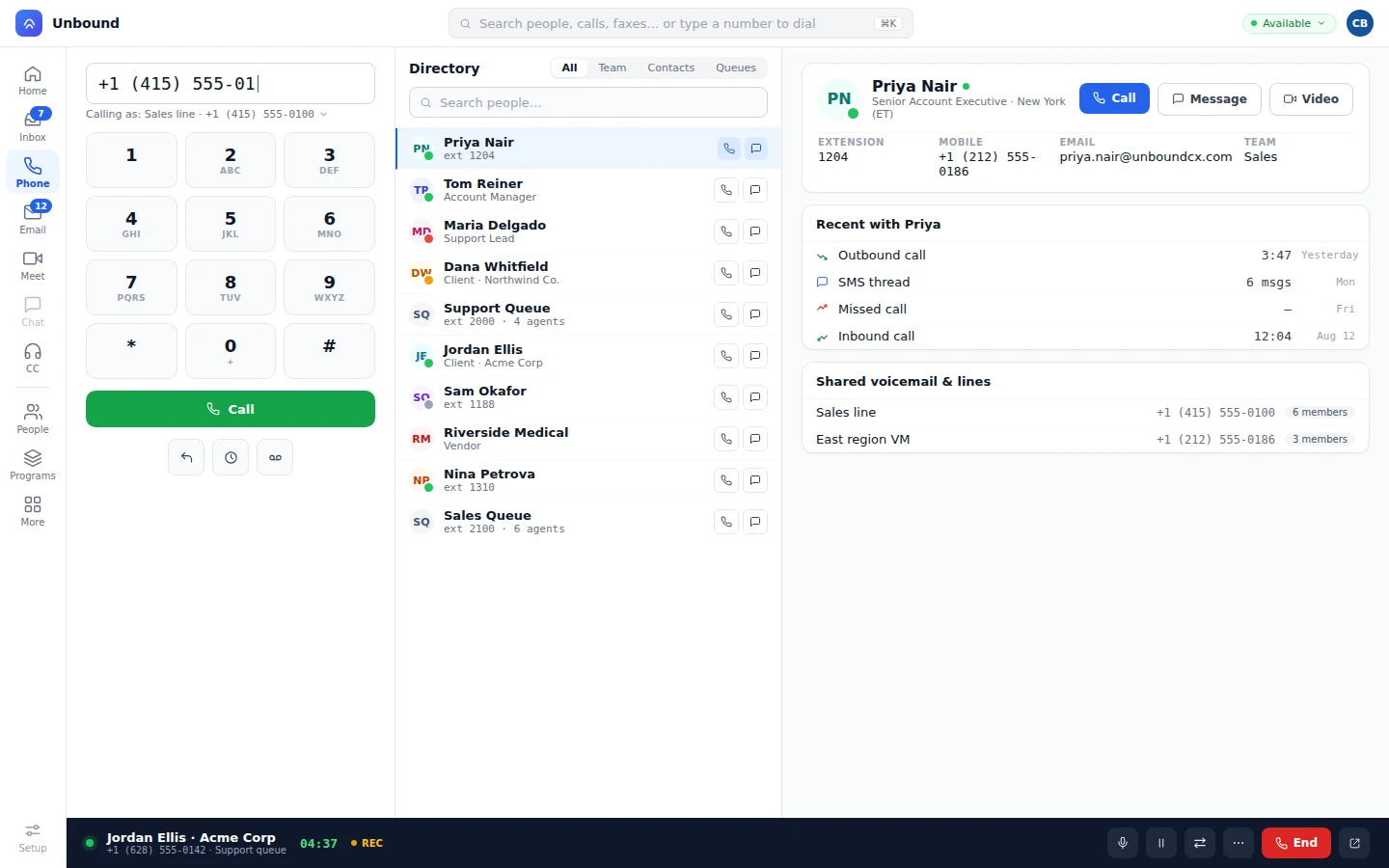
Every app has the softphone built in, with a keypad, a directory, and click-to-call from any record. Anyone who'd rather hold a handset gets a SIP desk phone on the same system.
Softphone.
A keypad, a line picker, and a directory of favorites, teammates, contacts, and queues.
Click-to-call.
Tap any number on a record and the app dials it.
SIP desk phones.
Your admin sets up endpoints and extensions in the console where users and queues live.
In the browser, installed as an app, or popped out.
No install? Run it in the browser, or install it as an app from there. Pop any tab into its own window, so the wallboard lives on the wall screen and the queue stays on your side monitor.
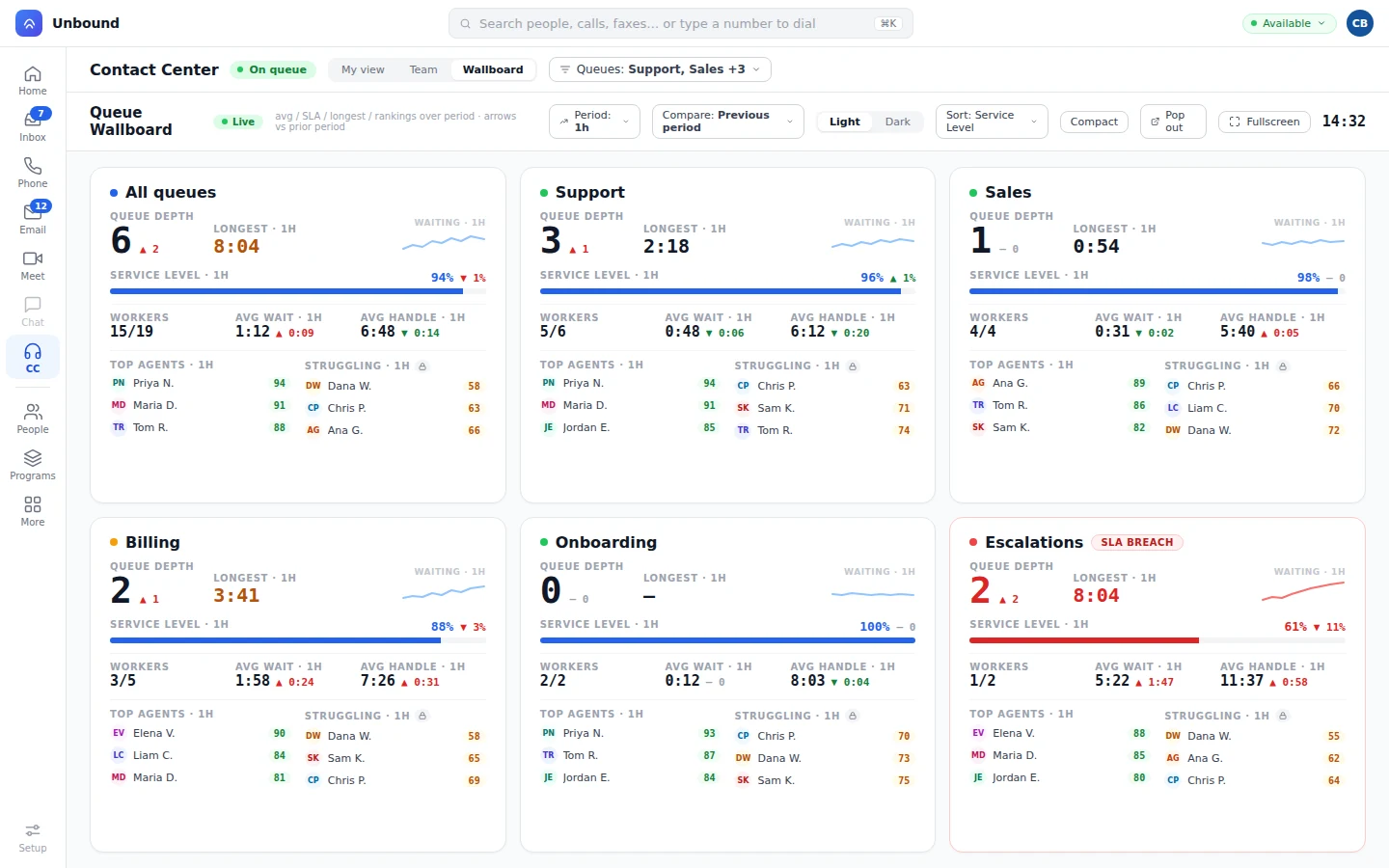
When a bot hands a task to a person, the agent on an iPhone gets the full timeline, just like the agent at a desk. Supervisors can watch bots and people on the wallboard from whatever screen is nearby. Bots and people on one queue
What teams ask about devices.
Are the mobile apps full apps or companions?
Full apps. You get every feature and all your data on Mac, Windows, iPhone, and Android.
Do SIP desk phones work with Unbound?
Yes. They register as SIP endpoints and extensions right alongside the softphones.
Can we run Unbound in a browser?
Yes. Use it in a tab, install it as an app from there, and pop any tab out into its own window.
Can field crews close a deal on site?
Yes. The crew opens the proposal on their iPhone or iPad and the customer signs it right there. Nobody calls the office for paperwork.
Try it on your laptop, your phone, and your desk phone.
Sign in on your Mac or PC and your phone, try it on the sample data, register a SIP desk phone, and bring your team in.