CRM

Run the whole deal from one record.

People, companies, and deals with every call, text, meeting, email, and form fill already on them. Quote it, sign it, and get paid without leaving the deal.

You're not stitching a CRM to a phone system, an e-sign tool, a payment connector, and a help desk. A prospect calls, a bot books the visit and notes it on the record, and the rep sends the proposal from that same deal.

100+ countries · Cloud, hybrid, or onsite · 1 to 1,000 seats

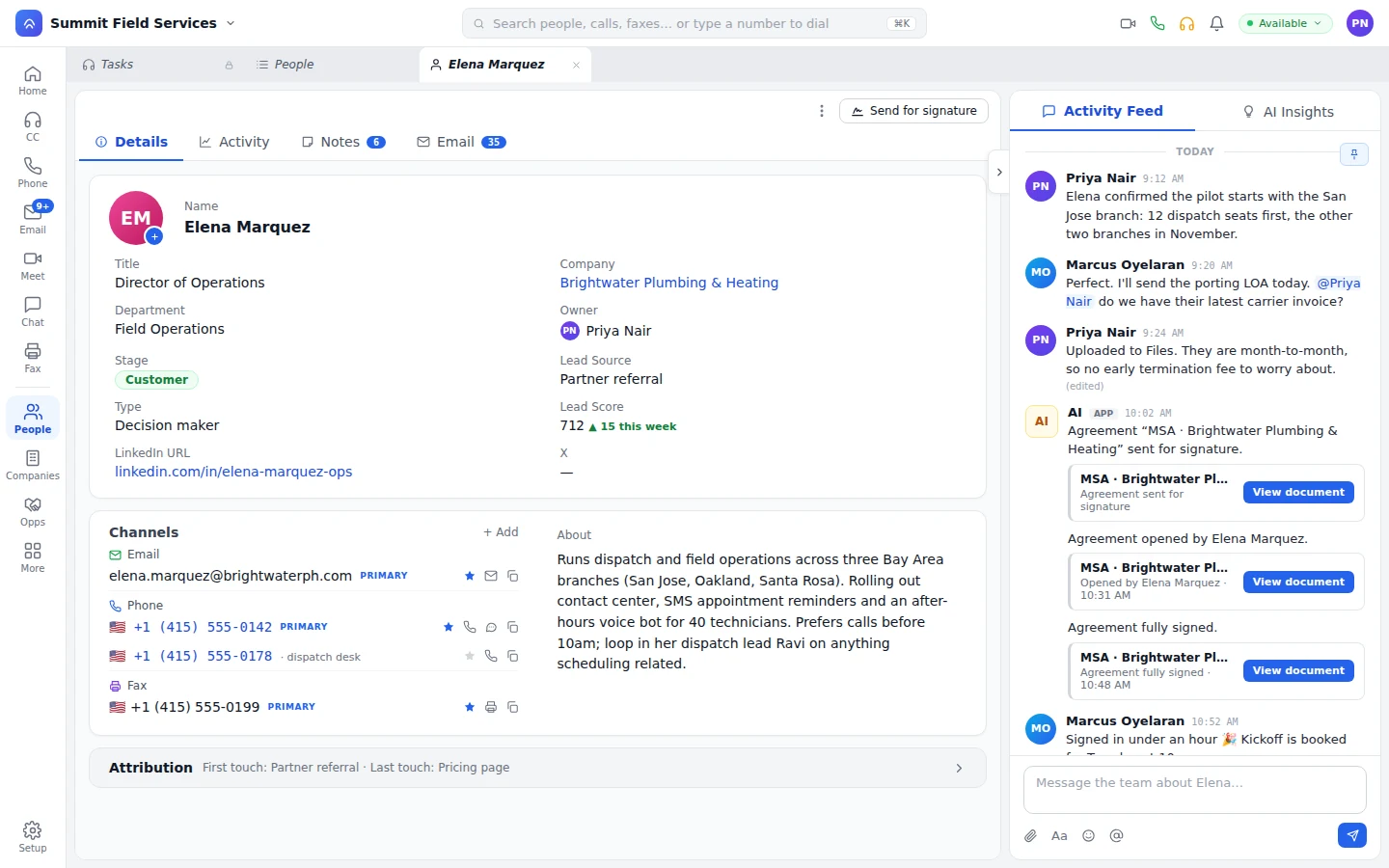
A person record with stage, owner, lead score, and Send for signature
Send the agreement for signature right from the record, which also shows the stage the person has reached and a lead score that moves with each touch.
Why CRM in the platform

Your reps stop logging calls. The record keeps itself.

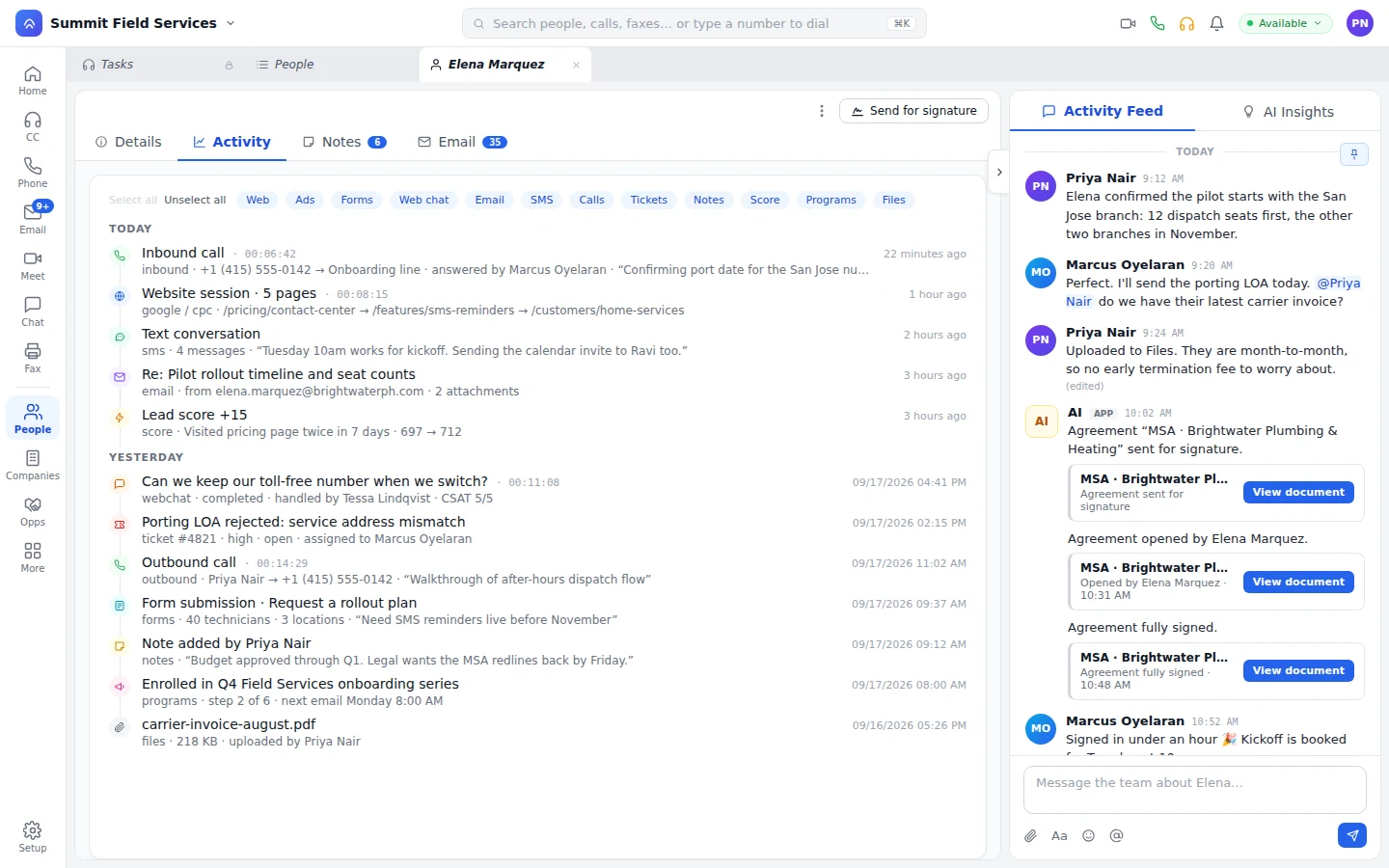
A rep dials from the record and the call's already on the timeline. A lead fills a form, and the answers write to their record and move the score. The account team talks the deal through in chat, the thread stays pinned to it, and support opens the same record the account executive works.

A person's activity timeline with calls, a web session, texts, email, score, and a form
The inbound call logs itself as it happens, the lead score moves, and the form fill lands on the same person.
Close the deal

Proposal, signature, and payment from the deal you're already on.

The proposal fills in from the deal, the person, and the company. The rep sends it by email or SMS to be signed and paid in one go, or opens it on an iPad on site and leaves with it signed.

The record's feed: agreement sent, opened, and fully signed
The agreement goes out from the record, gets opened by the customer, and comes back fully signed, with the document right on the feed.
  • Proposal

    Built from the deal and the people on it.

  • Signature

    A binding e-signature, sent by email or SMS or signed in person.

  • Payment

    On the send, or on the callback: whoever takes the call confirms the amount and collects it.

  • Fax

    The signed copy comes back by fax, and a workflow reads the pages into the record.

The record

Open the person, and the last conversation is right there.

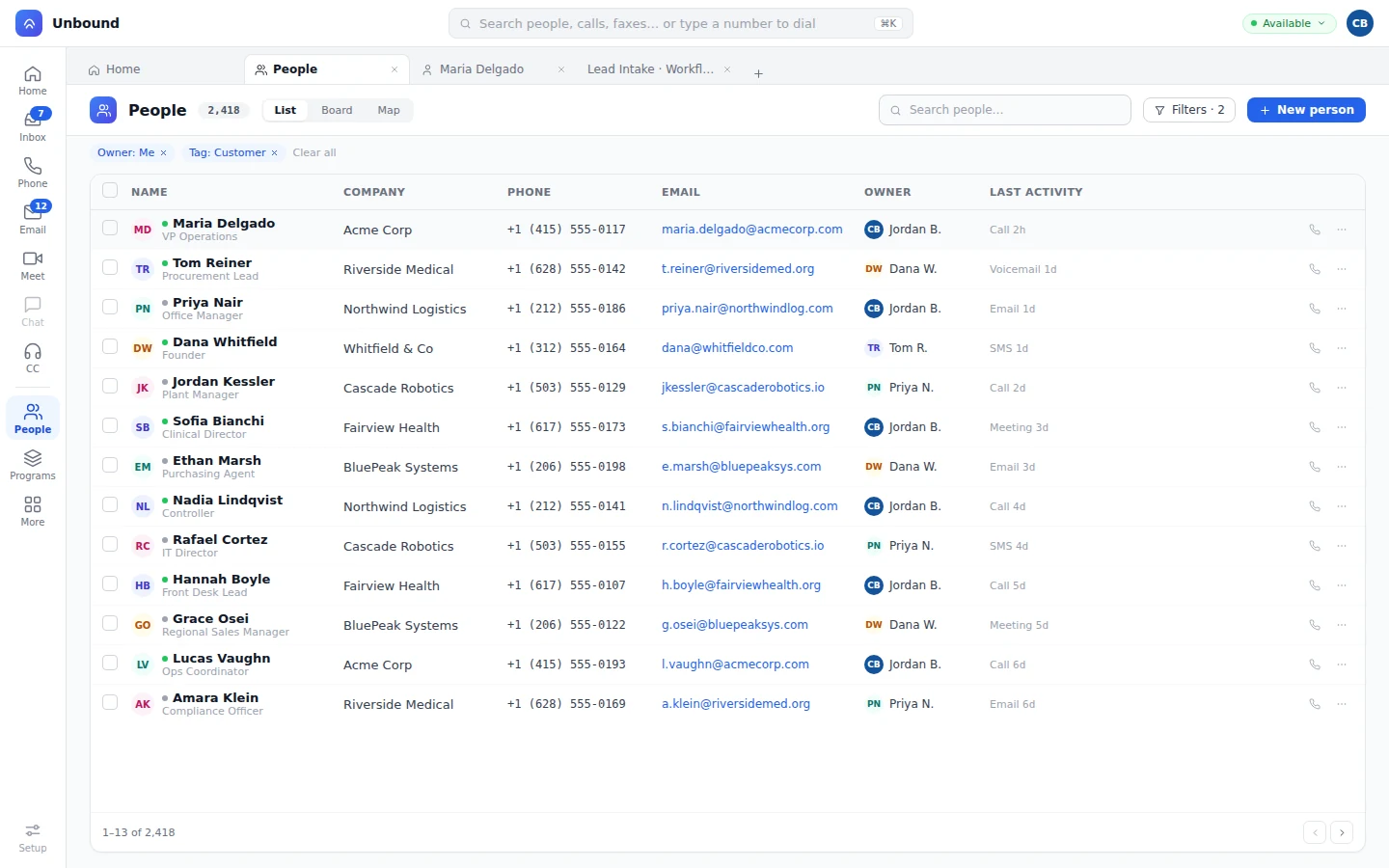
People, companies, and deals, laid out the way your team sells, with saved views for every rep and the last touch on every row.

People list with saved filters, owners, and last activity
The same people show as a list, a board, or a map, each row carrying the last touch and a call button.
People

Visitor to lead to customer on one row.

Phone numbers and emails are channels, and a lead score fires a workflow when it crosses your line. A form submission can also create a routed task in a queue, not just a record, so a rep follows up instead of a lead sitting unassigned.
Companies

The whole account in one place.

Every person, deal, ticket, and conversation at the account, rolled up on the company.

Deals

Pipeline as a table or a Kanban board.

The rep drags a deal forward, opens it, and calls the buyer from the card.

Feeds and notes

The team writes on the record.

Each person and company carries a feed of changes and comments, and shared notes the team edits in place.

Objects and bots

Shape the data model. Write the logic in plain JavaScript.

Add the objects your business runs on and let a change fire the next step. A bot answering the queue books the visit and updates the person and the deal, and its permission set decides which record types it can touch.

Before

  • Properties, policies, and equipment live in a spreadsheet.
  • Every team squeezes into one layout and one set of stages.
  • A changed record sits there until someone notices.
  • Opening an object to a team opens every record in it.

On Unbound

  • Custom objects and fields, related to people, companies, and deals.
  • Layouts from a designer, and record types that give each team its own fields and stages.
  • A change starts a workflow: update related records, text, email, dial, run JavaScript, or call a webhook.
  • Rights set per record type, for reps and bots alike.
Projects and portals

Take a signed deal to a live customer on one project board.

When the deal closes, onboarding starts from your template instead of a blank page. The team tracks each item and logs the work, workflows send the email or open the next item as things move, and the customer follows along in their own portal. Partners register deals in theirs, and you approve them in yours.

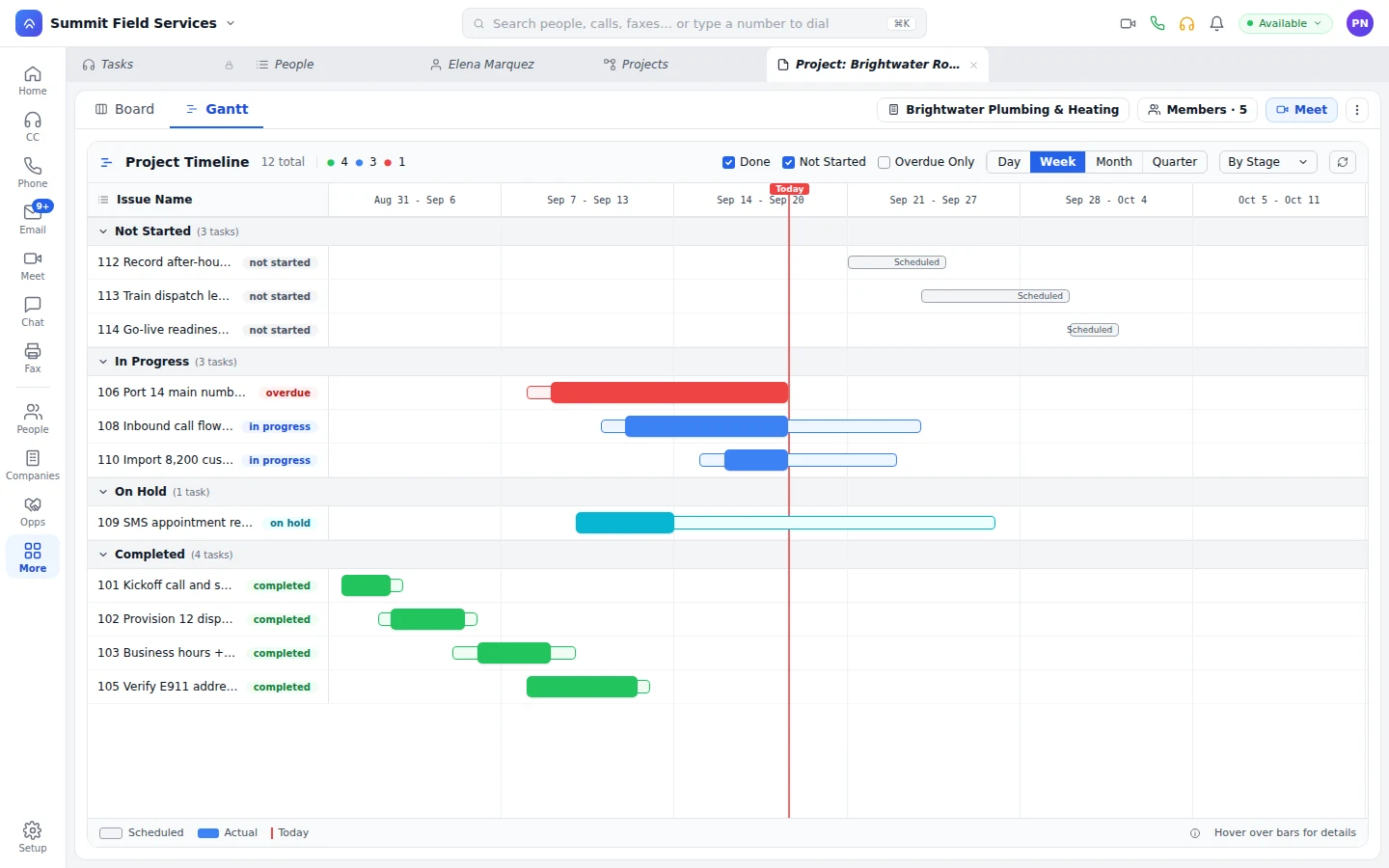
Project timeline with overdue, in-progress, and completed items
Overdue work gets flagged against the plan, today sits on the timeline, and completed items show planned against actual.
Questions

What buyers ask about the CRM and its bots.

Can AI agents update CRM records and take payments?

Yes. A bot books the appointment, updates the person and the deal, and takes the payment through the payment step. Its notes and edits show in the record's feed like anyone else's.

Can we model our own business, not just contacts and deals?

Yes. Add custom objects and fields, relate them to people, companies, and deals, and give each team its own record types and layouts. Layouts, reports, and workflows are point and click. When you want code, triggers run plain JavaScript and queries run in UOQL.

Does anyone have to log calls?

No. Calls, texts, email, meetings, and form fills show up on the person and the company as they happen, and a bot's notes arrive the same way.

Who sees what?

You open an object to a team, then set read, write, and update rights per record type. A bot gets its rights from a permission set, just like a rep.

Call a lead, move the deal, send it to sign.

Your 30-day trial opens with sample data already loaded. Call a lead from the record, drag the deal a stage, and send the proposal for signature before you load a single contact of your own.

With your consent, we use cookies for analytics, personalization, and advertising. Read our privacy policy for details.