Know the whole person before you dial.
Visitor, lead, and customer on one record. Calls, texts, email, form fills, and web visits show up on their timeline as they happen, right beside the call button.
The rep opens the person, sees this morning's pricing-page visit and last week's text thread, and calls with the answer ready.
100+ countries · Cloud, hybrid, or onsite · 1 to 1,000 seats
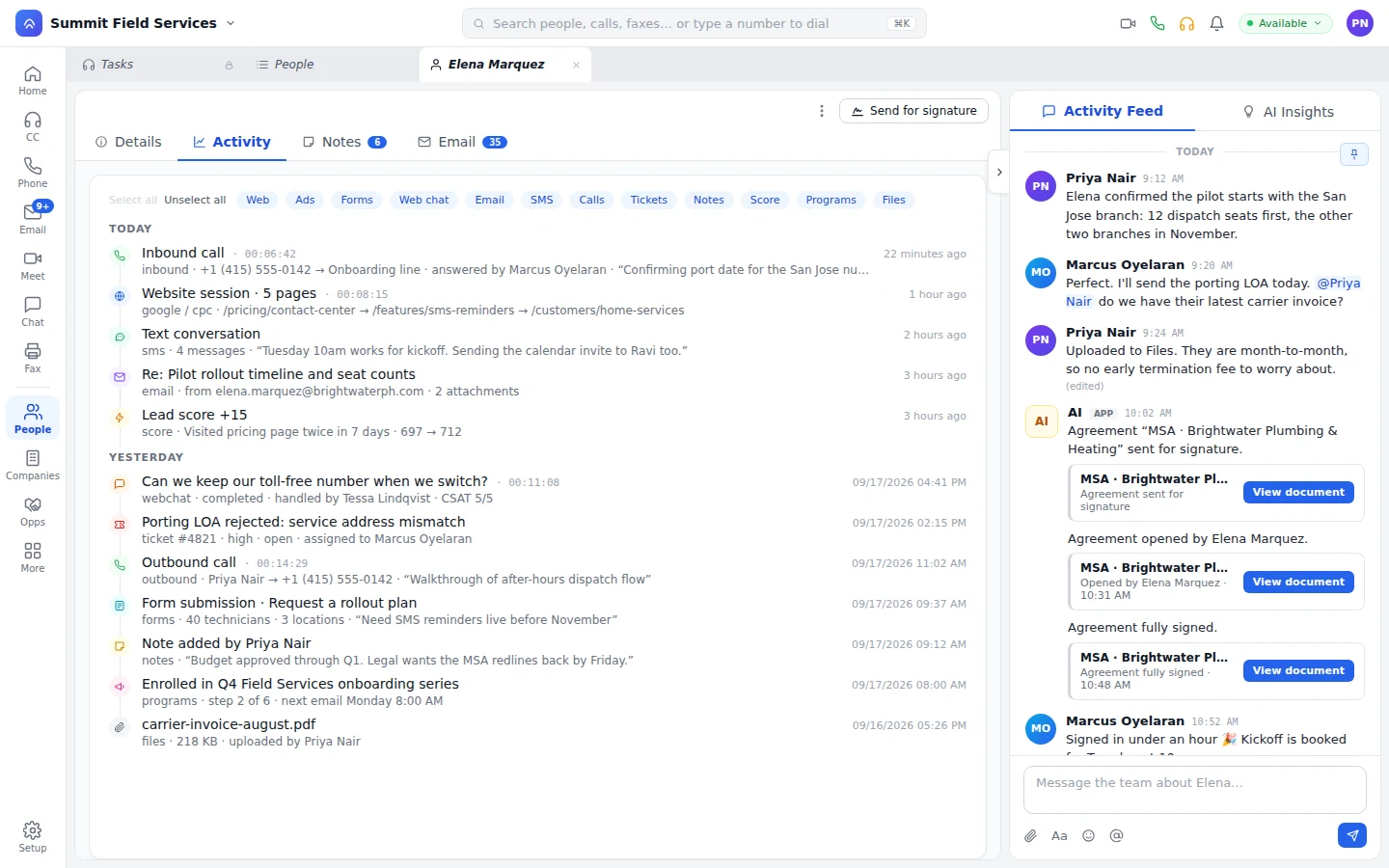
One record from anonymous visit to lifetime customer.
Visitor, lead, and customer are stages on one person. The history that brought them in is still there when they buy, and when they call support a year later. Each rep keeps saved views by owner or tag, so tomorrow's list opens with the same filters.
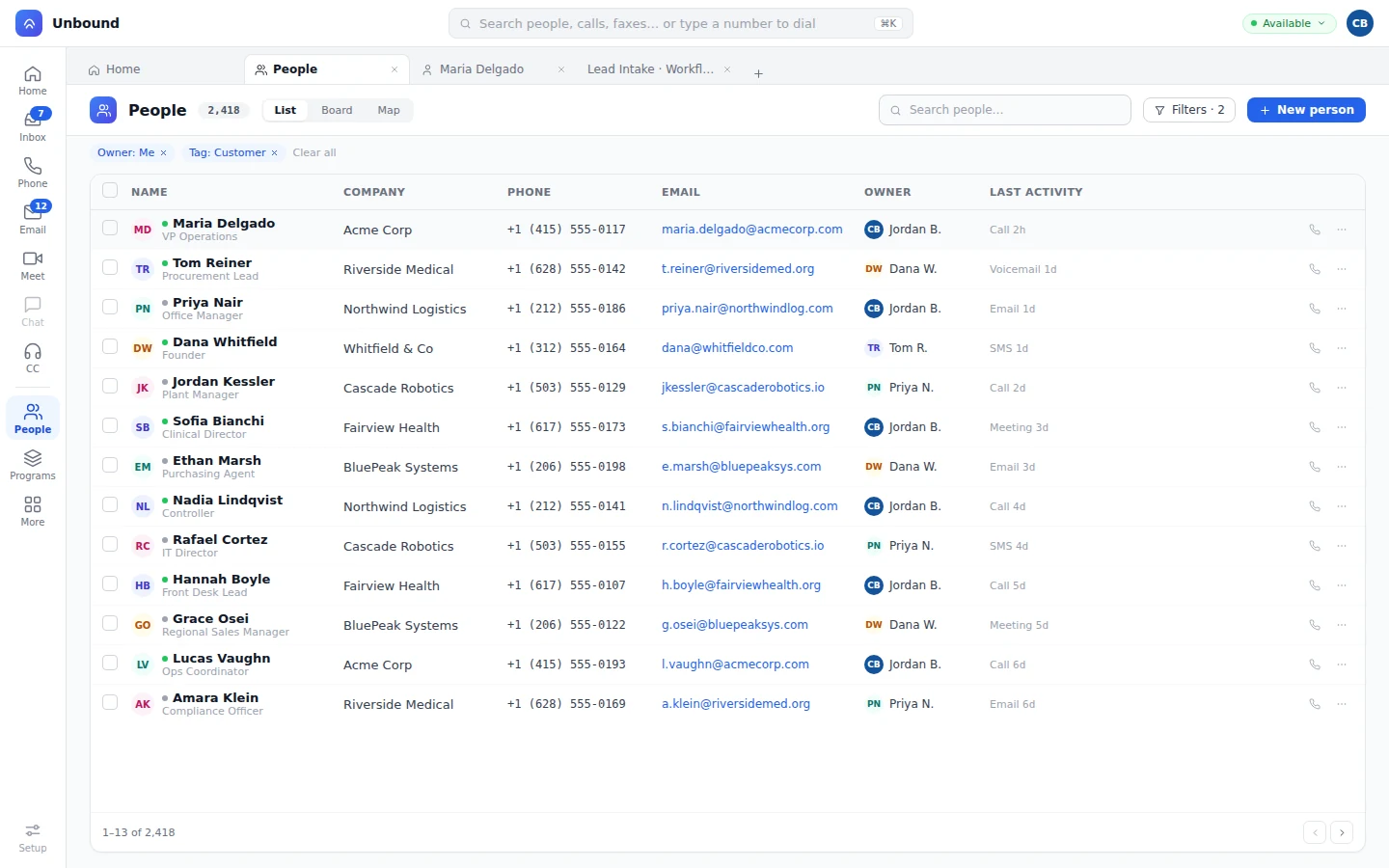
- Visitor: known before the form
The tracking snippet records their visits, and Google Analytics and Meta ad data attach to the same person.
- Lead: forms write to the person
Forms skip known fields, check the answers, save them, and raise the score.
- Customer: the record keeps going
Deals, signed documents, program membership, and support conversations stay with the person the rep called.
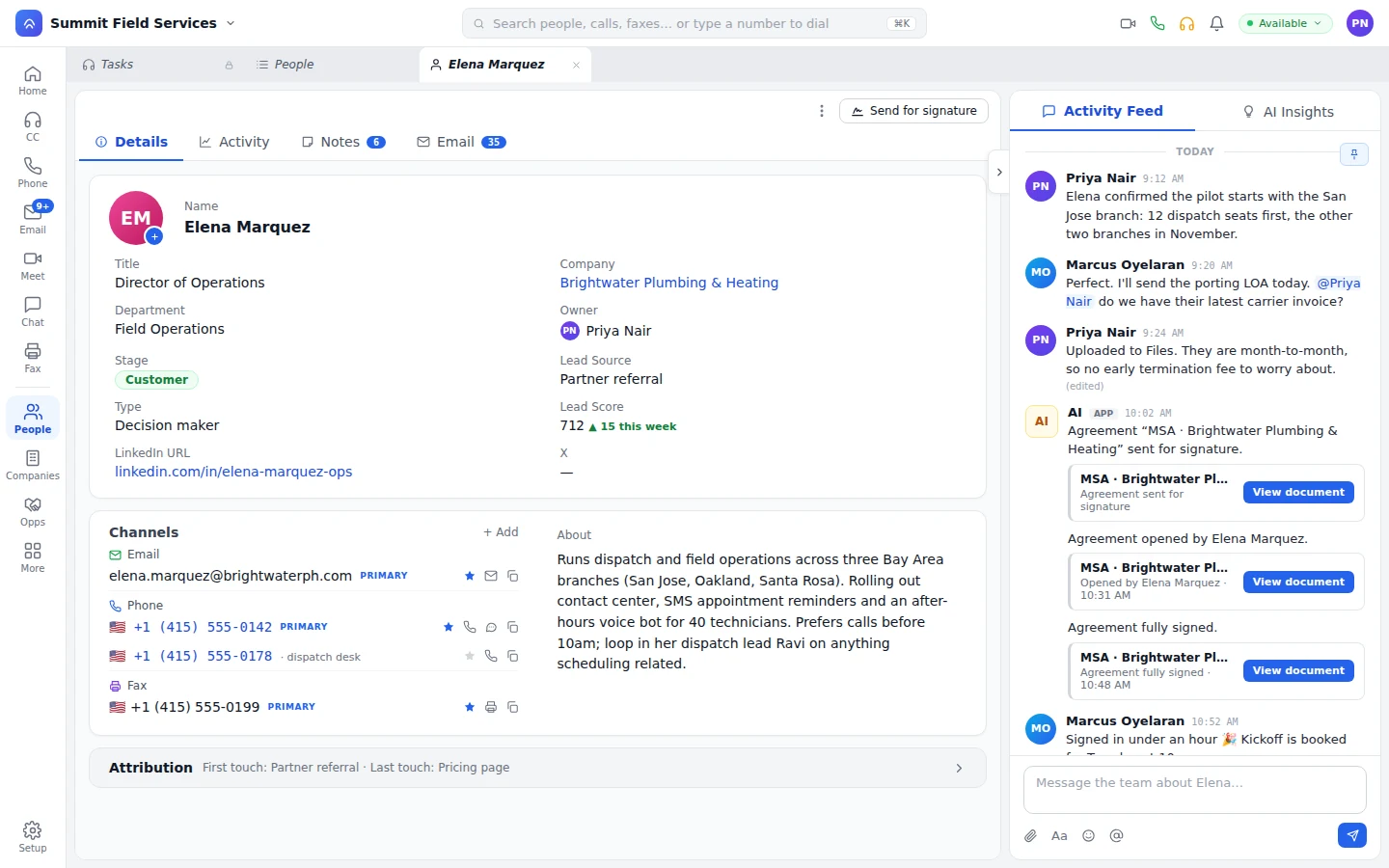
Every number and address is a channel on the person.
Each one has a label and a primary, so the mobile and the dispatch desk line both lead back to the same person.
As many as they have.
Add every email, phone, and fax number, label them, and mark the primary.
Known when they call.
A workflow matches the caller's number to the person before anyone picks up.
Fax is a channel too.
A workflow can fax the number on the person with the Send Fax step.
When a known number calls, a bot looks the person up, greets them by name, and updates the fields it confirmed. Its notes sit on the timeline next to the rep's, so the next call picks up where the last one stopped. How bots work on Unbound
Cross the score line you set, and the next step starts by itself.
Web visits and form fills move the score, and every change shows on the timeline. When it crosses your line, a workflow your admin built in the designer creates a task for a rep, enrolls the person in a program, sends a text, or places the call.
Filter the whole story, then call from the record.
Web, ads, forms, web chat, email, SMS, calls, tickets, notes, score changes, programs, and files sit on one timeline. The rep switches categories off to see just the calls, or just the marketing.
Dial from the number.
Each phone number is a call button for the softphone or a SIP desk phone, and the finished call shows up on the timeline.
A feed on every person.
Field changes and comments post to the person. Mention a teammate and the question waits beside the customer.
Notes and chat.
Two reps can write in the same note at once, and a person pinned into a team chat channel is a click away.
What buyers ask about people records.
Do reps have to log calls and emails?
No. The call, the text thread, the email, the meeting, and the form fill post to the person's timeline when they happen. Nobody types a call log.
How does a website visitor become a person?
The tracking snippet records their visits, and ad data from Google Analytics and Meta attaches to them. When they fill a form, the answers write to that person and move their lead score.
Can one person have several phone numbers and emails?
Yes. Phone numbers, emails, and fax numbers are channels on the record, as many as the person has, each with a label and a primary.
Can AI agents update a person record?
Yes. The workflow looks the caller up by phone number, and the bot updates the fields it confirmed on the call and leaves a note. If it can't resolve the task, it hands it to a rep, who sees the record and everything said so far.
Call someone from their own timeline.
Your 30-day trial comes with people who already have history. Filter a timeline down to calls, dial from the record, and watch your own call show up on it.