← Team
Team

A portal for every customer, partner, and lead.

Run as many portals as you need. Your customers check their requests, search your answers, and work shared projects. Partners register deals and work their opportunities. Leads land on pages your marketing team builds itself.

100+ countries · Cloud, hybrid, or onsite · 1 to 1,000 seats
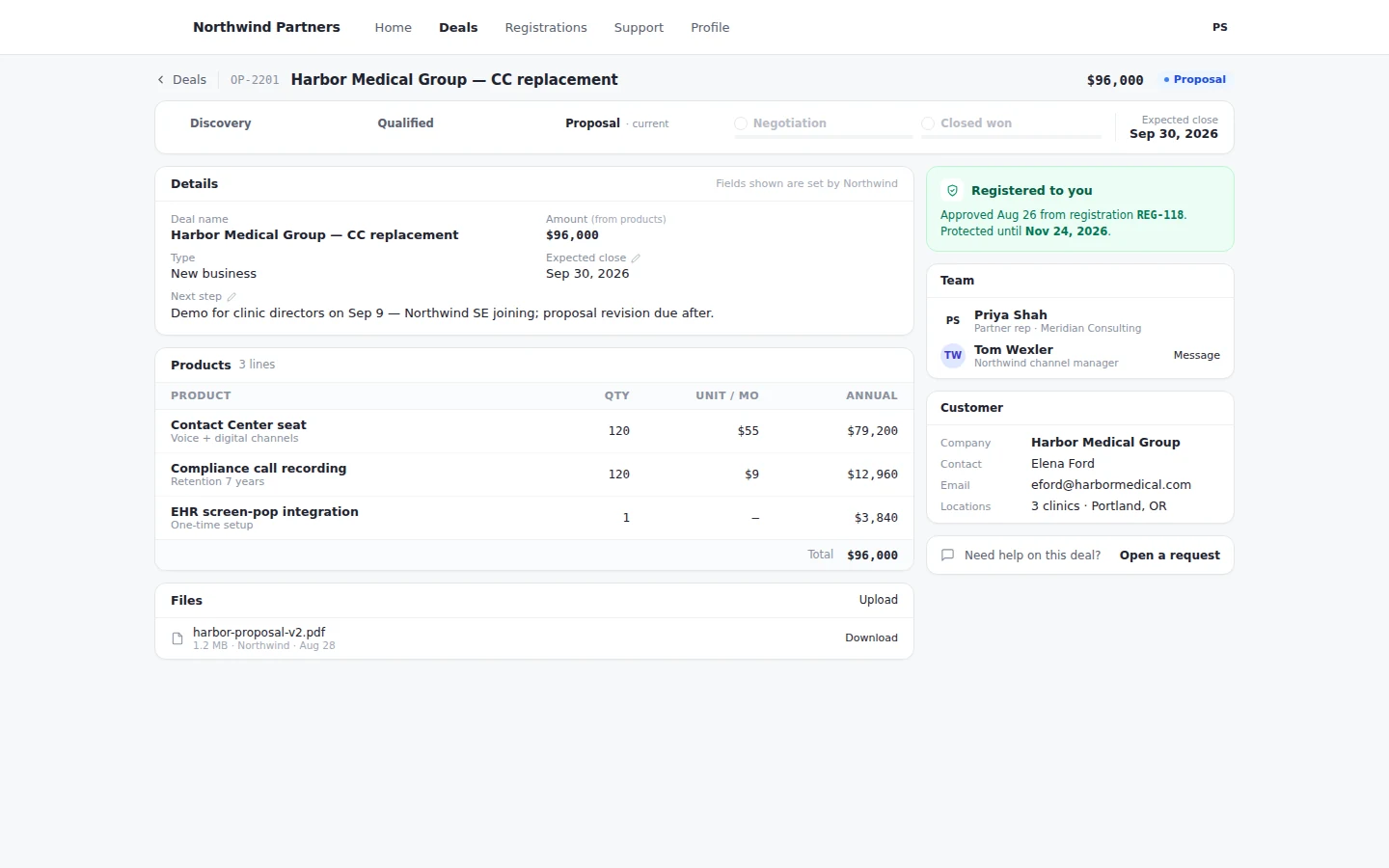
Partner portal deal with stage, details, next step, and products
The deal's stage, the next step, and the products on the opportunity all show together.
Customer portals

Customers check their own requests, answers, and projects.

The portal reads the same records your agents work, so what the customer sees is what your team sees.

Requests

Open and resolved, in one place.

Customers see where each request stands without calling to ask.

Knowledge

Answers before a ticket.

The knowledge base your team keeps is the one customers search.

Projects

Onboarding they can see.

Customers work shared project items with your team in the same workspace.
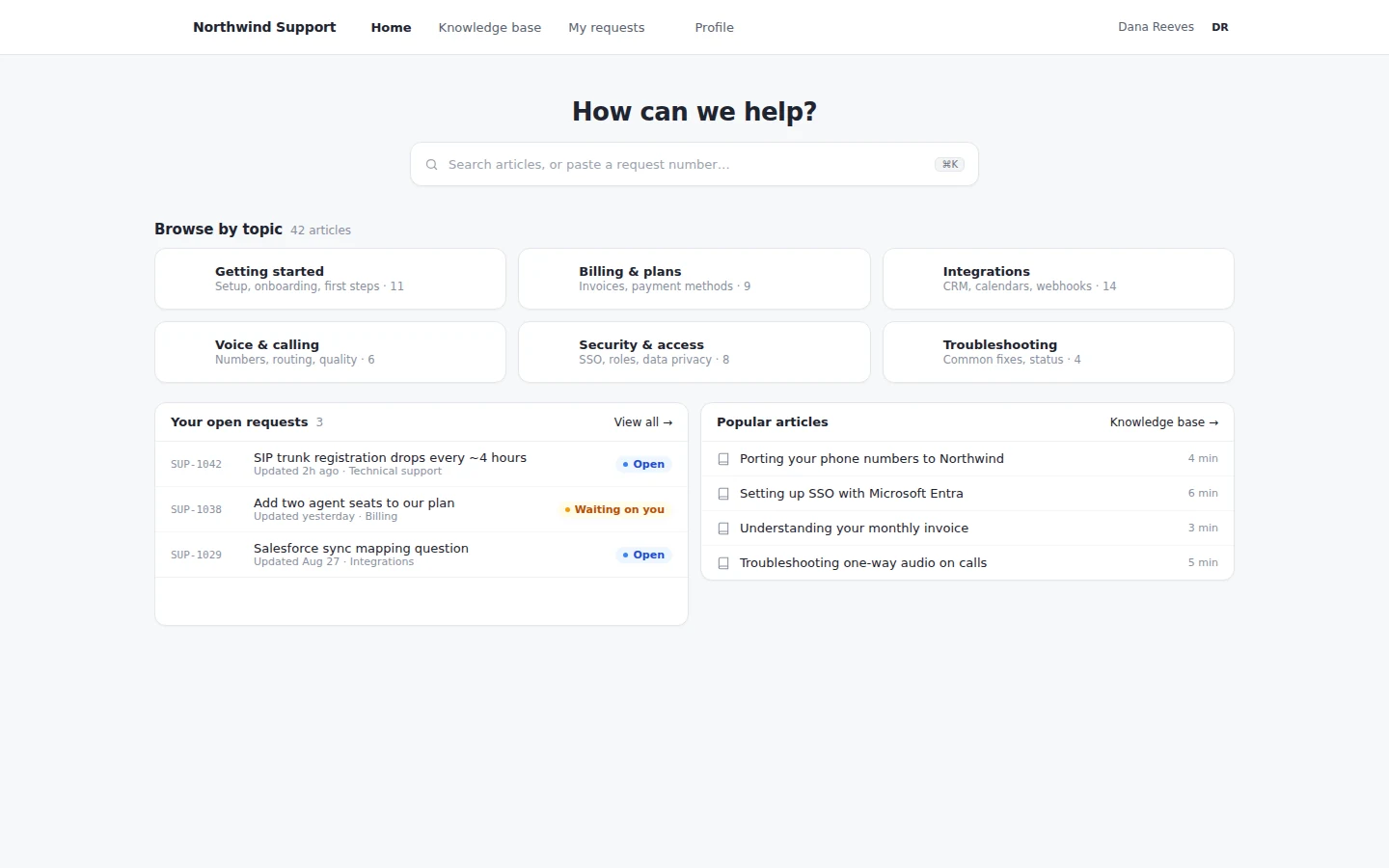
A customer support portal: search, browse by topic, and the customer's open requests
A customer's portal: search the knowledge base, browse by topic, and check open requests.
Partner portals

Partners register deals in their portal. You approve in yours.

A registered deal is an opportunity in your CRM, not a row in a spreadsheet.

  • Register. Partners register the deal from their portal with the details your team needs.
  • Approve. A conflict check runs on every registration before your team approves it.
  • Pipeline. Partners follow their deals by stage, with products and the next step on each one.
  • Support. Partners open requests, search the knowledge base, and work joint projects in the same portal.
Deal registration approval and the deal team in the partner portal
The registration comes back approved, with the partner rep and your channel manager both named.
Lead portals

Launch a landing page without a developer.

Hosted landing pages come with a no-code designer. Every form submission lands on the person, kicks off the journey, and counts toward the program. Dynamic forms skip the fields you already have.
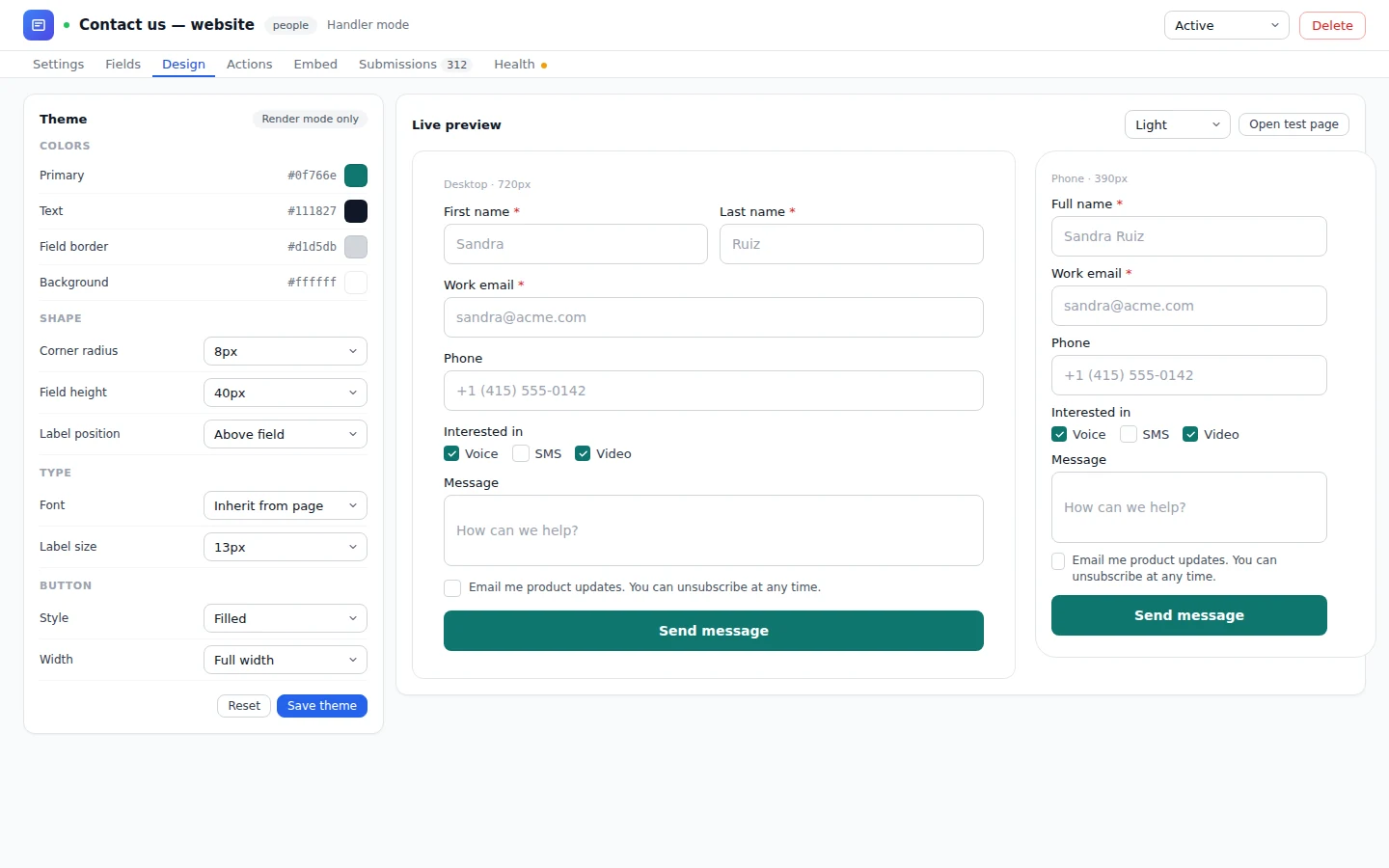
Form designer with theme settings and a live preview
The theme is set without code, a live preview shows the form, and each submission lands right on the person.
One data model

Every portal reads and writes the records your team works.

Portals aren't a copy of your data. A partner's deal is an opportunity, and a customer's request is a task on the same person.

  • One portal per audience. A help portal for customers, a partner portal, and a landing page for each campaign.
  • Forms on every portal. Host a form on any portal, embed it on your site, or post your own form straight to Unbound.

A request in a customer portal is a task on your queue, so when a bot resolves it, the customer sees it resolved without anyone updating the portal. A lead who fills in a landing page form hears back from a bot on the journey, which asks the qualifying questions and books the next step. How bots take tasks from the queue

Customer details and a request link on a portal deal
The customer's details come straight from your CRM, and a request can open right from the portal.
Questions

Common questions about portals.

Who works the requests customers see in their portal?

Your agents and your bots, from the queue. The portal shows where their task stands.

How many portals can we run?

As many as you need, one per audience, each reading and writing the records your team works.

How does partner deal registration work?

A partner submits it, a conflict check runs, and once your team approves, it's an opportunity in your CRM that the partner can follow.

Do we need a developer to build a landing page?

No. Marketing builds them in a no-code designer, and forms on the page write straight to the person.

See a partner deal from both sides of the portal.

Try it for 30 days with sample data loaded. Open the partner deal as your team and as the partner, then publish a landing page with a form.

With your consent, we use cookies for analytics, personalization, and advertising. Read our privacy policy for details.